
Volume 57 Issue 3
EMQ (Evangelical Missions Quarterly)
July–September 2021 | Volume 57 Issue 3
Download Issue or View Online Purchase Print Edition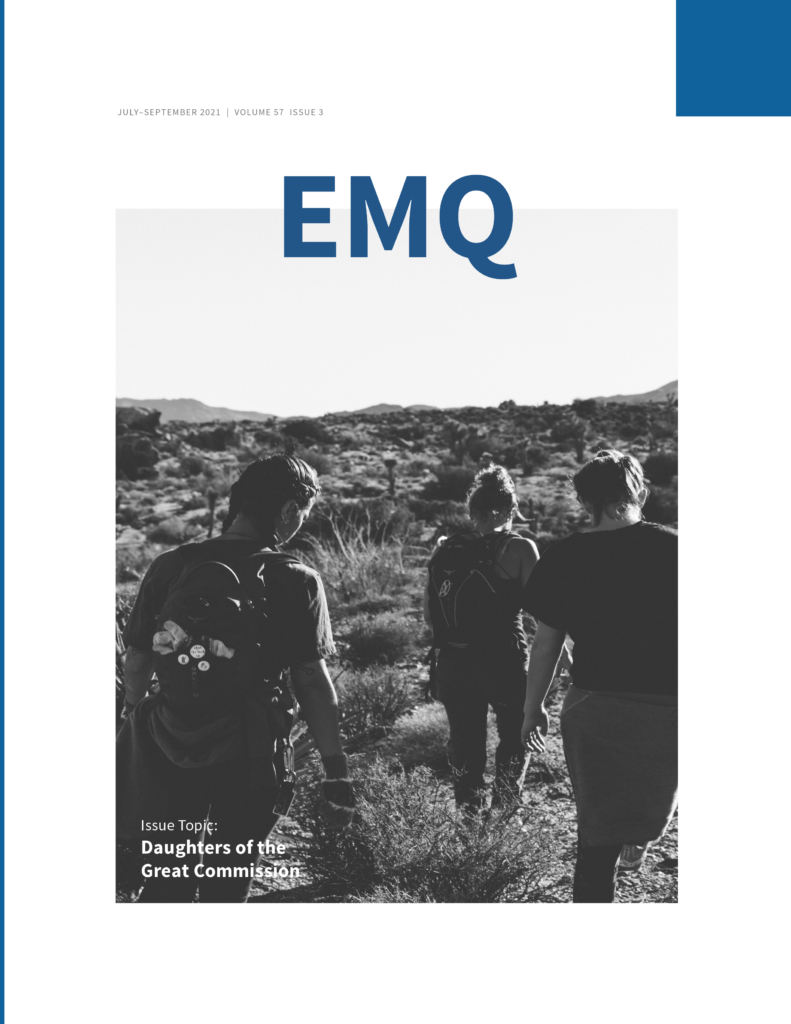
Editorial
Daughters of the Great Commission Speak Out
By Marvin J. Newell
Articles
Missiology as a Discipline: Its Dimensions and Scope
By Simone Mulieri Twibell
Rethinking Trust as a Fundamental of Mission
By Cathy Hine
Church Planting in Hard Places: Research Reveals the Strength of a Next-Gen Focused Church Planting Strategy
By Patricia Savage and Tena Stone
When Missionaries Are Locked Out of Their Fields
By Julie Ma
Practicing Cultural Humility
By Miriam Sinclair
Blessing: Baraka in Popular Culture and in the Bible
By Moyra Dale
The Role of Mission Organizations in Missionary Well-Being
By Kimberly Drage
Cross-Cultural Leadership
By Deb McQuilkin
Sinach’s “I Know Who I Am”: Progress Prosperity as Discipleship
By Tamie S. Davis
Re-Thinking Mobilization
By Jenn Williamson
Book Reviews
Community Arts for God’s Purposes: How to Create Local Artistry Together
By Brian Schrag and Julisa Rowe. Reviewed by David R. Dunaetz
Speak of the Devil: How the Satanic Temple Is Changing the Way We Talk About Religion
By Joseph P. Laycock. Reviewed by Jonathan P. Case
Context, Plurality, and Truth: Theology in World Christianities
By Mika Vähäkangas. Reviewed by Xiaowen Jiang
Defending Shame: Its Formative Power in Paul’s Letters
By Te-Li Lau. Reviewed by Jerry Ireland
Inside the Church of Almighty God: The Most Persecuted Religious Movement in China
By Massimo Introvigne. Reviewed by Richard Cook
A Multitude of All Peoples: Engaging Ancient Christianity’s Global Identity
By Vince L. Bantu. Reviewed by Edward L. Smither
Understanding Burnout Recovery Among Native-Born Korean Missionaries
By Hannah Kyong-Jin Cho. Reviewed by Perlita Tan
The Learning Cycle: Insights for Faithful Teaching from Neuroscience and the Social Sciences
By Muriel I. Elmer and Duane H. Elmer. Reviewed by Nathaniel (Than) Veltman
The Return of Oral Hermeneutics: As Good Today as It Was for the Hebrew Bible and First-Century Christianity
By Tom Steffen and William Bjoraker. Reviewed by Cameron D. Armstrong
Factors Behind the Ukrainian Evangelical Missionary Surge from 1989 to 1999
By John Edward White. Reviewed by Gene Wilson
China’s Harvest Fields
Edited by Tabor Laughlin. Reviewed by Mark A. Strand
Misreading Scripture with Individualist Eyes: Patronage, Honor, and Shame in the Biblical World
By E. Randolph Richards and Richard James. Reviewed by Brent H. Burdick
Missiographic
Diaspora in Greater Los Angeles
Unreached People in Greater Los Angeles
Download
Downloads
Download ePub
EMQ Volume 57 Issue 3.epub (31.8 MB)
Download Mobi
EMQ Volume 57 Issue 3.mobi (4.1 MB)
Download PDF
EMQ Volume 57 Issue 3.pdf (8.8 MB)
To Send to Kindle by E-mail
If you own a Kindle, you can send EMQ to it by e-mailing the .mobi file to your Send-to-Kindle e-mail address ([name]@kindle.com). Your Send-to-Kindle e-mail address is a unique e-mail address assigned to each of your Kindle devices.
- Download the “.mobi” version of EMQ.
- Locate your Send-to-Kindle e-mail address, by visiting the Manage your Devices after logging into Amazon (Documents can only be sent to your Kindle devices or apps from e-mail accounts that you added to your Approved Personal Document E-mail List. To add an e-mail account, visit the Personal Document Settings on the Amazon website).
- Create an email, attach the “mobi” version of EMQ to it, and send it (it is not necessary to include a subject in the email).
- In a few moments EMQ should appear on your device.